
Wordpress - The journey
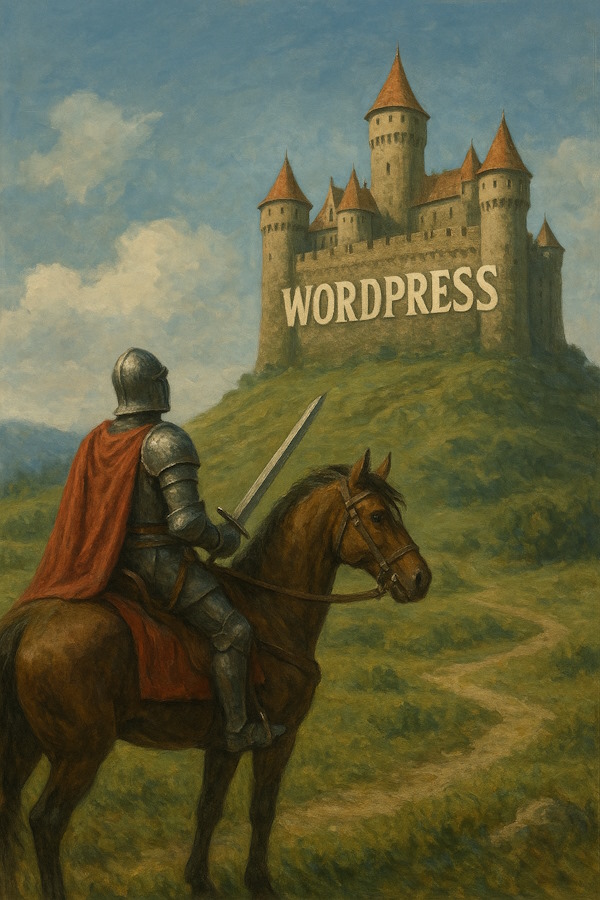
The Journey to Wordpress
Intro
This page is titled "The Journey to Wordpress" as for someone who has grown up in the early days of free hosting provided by the likes of Geocities and internet connection via dial-up embracing Responsive and No-code design afforded by Wordpress is much like a knight of old on a quest for something or somewhere of great value and significance and in the photo above (created through ChatGPT) you can see the knight has arrived, he just needs to climb the hill and knock to gain admittance to Wordpress.
My early forays into web design were table-based designs using Netscape Composer many years ago and in my salaried design work using Dreamweaver with their "layout cells" for placement. With the movement to tableless design and external stylesheets I found the simplest option was to design the page templates using handcoding and nothing more complicated than notepad.
I still use that method for established large desktop websites and for small sites that do not need much coding. The problem has come with the growth of smartphones and the difficulty of creating web designs that will display well on smartphones, tablets and laptops/desktop devices. You need to be able to create a so called "reponsive design" which will adapt itself to the users device.
Google recognising that for some websites as much as 40-50% of visitors come from users using smartphones (perhap even higher for some consumer sites) have been according higher google position to websites that are "mobile friendly" resulting in some desktop sites falling in the listings.
Mobile Friendly Design
I quickly became aware that I would be difficult to hand-code a mobile friendly responsive site and fortunately it would not be necessary as there were website builders and CMS (Content Management Systems) such as Wordpress available which would allow a webmaster to create a professional looking website without much knowledge of HTML (In fact you could design without any knowledge of coding, but a little knowledge would be helpful).
The three website builders/cms I looked at were:
- Wix
- Squarespace
- Wordpress (both hosted wordpress.com and self-hosted wordpress.org)
Full reviews of these website builders and others are available on this and linked pages Website Builders On this page I propose to just look at
Wix
Free and paid options, typical cost including hosting £9 per month (email accounts extra)
Squarespace
Paid option, typical cost £12 per month (email accounts extra)
Wordpress.com (hosted)
Free and paid options, typical cost including hosting £3-7 per month (email accounts extra)
Wordpress.org (self-hosted)
Free and paid options. Wordpress itself is FREE you just need to pay for your hosting which could be anything from £20 - £80 per year depending on the hosting company you use and the amount of webspace included in the package.
There are a wide range of free themes available and pay to use premium themes. There are website builders such as Elementor which are available in free and premium versions. Using your Hosting Control Panel such as cPanel, Plesk or others you can configure any email accounts you require.
Test Pages - Wix.com (free account)
Newbold Community Church https://ncc3412.wixsite.com /newboldcc
Operation Hope https://ophope1415.wixsite.com /operation-hope
Test Pages - Wordpress.com (free account)
Newbold Community Church https://newboldcommunitychurch.wordpress.com /about/
Operation Hope https://operationhope1.wordpress.com /about/
Test Site - Wordpress.org (self hosted)
Installed wordpress on shared hosting together with the Elementor builder. Selected a free template "Mountain" and created a mobile friendly version of an existing Church desktop website.
Verdict on using Website builders such as Wix, Wordpress (.com) or Wordpress (self-hosted)
I can see the advantages of no-code building but I do not like having to adapt content to fit a set template layout.
My future endeavour will be to devise a way of creating simple mobile friendly websites using hand coding.
Michael Fowler
Other articles by Michael Fowler:
Free E-Mail - Michael Fowler
Discussion of the inadequacies of isp e-mail addresses and the free e-mail alternatives available.
Hosting Reviews - Michael Fowler
A listing of leading website hosting companies with links to Review centre and Trust Pilot reviews.
Sitemaps - Michael Fowler
Discussion of the different types of sitemap, their value and the desirability of using them on a website
Broken Links - Michael Fowler
Discussion of broken links, what they are, how they occur, their detrimental effect and how to eliminate or minimise the effect they have on the performance of your website.
Credit: Knight on horseback with castle on hill, created by Michael Fowler using ChatGPT, © Michael Fowler Copyright, Designs and Patents Act 1988 s.9(3), Generative AI – the copyright issues
